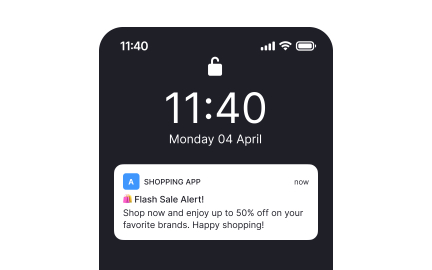
A technical explanation of why smartphone notifications are often delayed and delivered in batches, even when connectivity seems stable, and how modern power, network, and system policies affect notification timing.
Introduction: The Notification Flood
Many users experience this regularly.
You unlock your phone and suddenly receive five, ten, or even dozens of notifications at once.
Messages, emails, and alerts all appear simultaneously.
It feels as if everything was delayed.
Why Notifications Are Not Always Instant
Notifications depend on multiple layers of delivery.
Network conditions, system state, power management, and app behavior all influence timing.
Real-time delivery is not always prioritized.
What Must Happen for a Notification to Arrive
For a notification to appear, several steps are required:
- a server must send the notification
- a push service must receive it
- the phone must be reachable
- the system must allow delivery
- the app must process it
Delays at any stage postpone delivery.
Why Phones Batch Notifications by Design
Delivering notifications individually consumes power.
Each delivery wakes the network radio and CPU.
Batching reduces these wakeups.
Power Efficiency vs Immediacy
Smartphones balance responsiveness against battery life.
Grouping notifications conserves energy.
Immediate delivery is sacrificed.
Push Notification Services Explained
Apps do not usually maintain constant direct connections.
Centralized push services handle delivery.
These services mediate timing.
Why Centralized Push Exists
Without centralized push, every app would maintain its own persistent connection.
Battery drain would increase dramatically.
Centralization reduces overhead.
Why the Phone Is Often “Offline” Without You Knowing
Phones enter low-power states frequently.
Network radios are turned off or downscaled.
The device appears connected, but is not fully reachable.
Idle States and Network Reachability
During idle states:
- Wi-Fi may enter sleep mode
- mobile radios reduce polling
- background traffic is paused
Notifications are queued remotely.
Why Unlocking the Phone Triggers Notification Delivery
Unlocking the screen signals activity.
The system restores connectivity.
Queued notifications are released.
Why This Feels Like a Sudden Flood
Messages were not sent at once.
They accumulated over time.
Delivery was delayed deliberately.
Why This Happens Even on Fast Networks
Speed does not guarantee immediacy.
Power policies override network capability.
System state determines timing.
Why Some Apps Seem Worse Than Others
Apps have different priority levels.
Messaging and emergency apps receive higher priority.
Others are delayed more aggressively.
Why This Is Not a Bug
Batching is expected behavior.
It improves battery life significantly.
Doze Mode and Deep Sleep Explained
Modern smartphones aggressively conserve power when they detect inactivity.
One of the most important mechanisms behind delayed notifications is deep sleep behavior.
These modes are invisible to users.
What Triggers Deep Sleep
The system monitors:
- screen activity
- device motion
- charging state
- user interaction frequency
When inactivity is detected, the phone enters a restricted state.
What Happens to Notifications During Deep Sleep
Background network access is heavily limited.
Push messages are queued instead of delivered.
Delivery resumes only when the phone wakes.
Why Deep Sleep Saves So Much Battery
Network radios consume power even when idle.
Preventing frequent wakeups dramatically reduces drain.
Notification delays are the trade-off.
Why Notifications Are Delayed Overnight
Overnight, phones are typically stationary.
Movement sensors report inactivity.
Deep sleep becomes more aggressive.
Why Charging Does Not Always Prevent Delays
Charging alone does not guarantee full wakefulness.
If the screen remains off and there is no interaction, background limits still apply.
Notifications may remain queued.
Background Execution Limits
Apps are restricted in how often they can run.
Background execution is carefully budgeted.
This affects notification timing.
Why Apps Cannot Wake the Phone Freely
Allowing apps to wake the device arbitrarily would destroy battery life.
The system enforces strict rules.
Most apps must wait their turn.
Priority vs Non-Priority Notifications
Not all notifications are treated equally.
The system assigns priority levels.
Priority determines immediacy.
Examples of High-Priority Notifications
- incoming calls
- SMS and direct messages
- security alerts
- alarm triggers
These can bypass deep sleep restrictions.
Low-Priority Notifications and Batching
Social updates, newsletters, and promotions are often low priority.
They are delivered in grouped batches.
Immediacy is sacrificed.
Why Some Notifications Arrive Only When You Open an App
Some apps rely on background refresh rather than push.
When you open the app, it fetches updates immediately.
This feels like delayed notification delivery.
Why Battery Optimization Settings Matter
System-level optimization affects app wakeups.
Apps marked as optimized face stricter limits.
Notifications may be delayed more often.
Why Messaging Apps Behave Differently
Messaging apps are granted higher privileges.
Users expect immediacy.
Systems accommodate this expectation.
Why Delays Are Inconsistent
Sleep depth varies.
Network conditions fluctuate.
Notification timing changes dynamically.
Why This Behavior Is Normal
Delayed notifications are a design choice.
They protect battery life.
The system is working as intended.
Network Batching and Radio Wake Cycles
Network radios do not stay fully active all the time.
To save power, they wake in scheduled cycles.
Notifications often wait for these wake windows.
Why Radios Wake in Bursts
Turning a radio on consumes significant energy.
Keeping it active continuously would drain the battery quickly.
The system groups network activity into short active periods.
Why Notifications Are Delivered in Groups
During a radio wake window, queued data is released.
Multiple notifications are delivered together.
This minimizes wake frequency.
Wi-Fi vs Mobile Data Notification Behavior
Notification timing depends on the active network.
Wi-Fi and mobile data follow different power rules.
This affects immediacy.
Why Wi-Fi Often Feels Faster
Wi-Fi radios consume less power per wake.
Wake cycles are more frequent.
Notifications arrive sooner.
Why Mobile Data Delays Notifications More
Cellular radios are power-hungry.
The system limits how often they activate.
Notifications wait longer.
Why Switching Networks Triggers Notification Floods
Changing networks resets radio state.
Queued notifications are released immediately.
This feels like a sudden flood.
Common Trigger Events
- connecting to Wi-Fi
- leaving Wi-Fi coverage
- switching from 4G to 5G
- regaining signal after loss
All pending messages are delivered.
Why Airplane Mode Causes Delayed Delivery
Airplane mode disables all radios.
Notifications cannot be delivered.
Messages queue externally.
What Happens When Airplane Mode Is Disabled
Radios reinitialize.
Push services reconnect.
All queued notifications arrive at once.
Why Signal Strength Alone Is Not Enough
Strong signal does not guarantee wakeups.
Power policies determine radio behavior.
Notifications still wait.
Why Notifications Arrive When You Start Using the Phone
User interaction raises system priority.
Radios are activated proactively.
Pending notifications are delivered.
Why This Behavior Saves Battery
Fewer radio activations reduce energy consumption.
Battery life improves significantly.
Delayed notifications are the trade-off.
Why Timing Can Vary Day to Day
Network conditions change.
Radio policies adapt dynamically.
Notification behavior is not static.
Why This Is Expected Network Behavior
Modern mobile networks are optimized for efficiency.
Real-time delivery is selective.
Batching is normal.
How to Receive Notifications Faster
Instant notification delivery is limited by power and network policies.
However, certain settings can reduce delays.
The goal is to increase priority without sacrificing battery excessively.
Actions That Actually Help
- disable battery optimization for critical apps
- allow background data usage
- use Wi-Fi when possible
- keep push services enabled
- avoid aggressive system cleaners
These adjustments reduce batching delays.
Why Disabling Battery Optimization Helps
Battery optimization restricts background execution.
Removing limits allows apps to wake more often.
Notifications arrive sooner.
Why Some Apps Should Always Be Exempt
Messaging, security, and work-related apps benefit from immediacy.
Exempting all apps would severely impact battery life.
Selectivity is key.
Settings That Do Not Guarantee Faster Delivery
Some commonly suggested tweaks have minimal impact.
- toggling airplane mode repeatedly
- restarting the phone multiple times
- forcing constant background sync
- disabling power saving entirely
These do not override core policies.
Why Notifications Still May Not Be Instant
Server-side delays, network congestion, and push service throttling are outside user control.
Perfect immediacy is not guaranteed.
Common Myths About Notification Delays
Myth: Strong Signal Means Instant Notifications
Signal strength does not control radio wake frequency.
Myth: Delays Mean the App Is Broken
Delays usually reflect system policy, not faulty apps.
Myth: Notifications Are Always Sent Late
They are sent on time, but delivered later.
Why Notification Timing Feels Unreliable
Delivery depends on:
- device activity state
- battery level
- network type
- app priority
These variables change constantly.
A Practical Notification Reliability Checklist
- exempt critical apps from optimization
- keep Wi-Fi enabled when available
- avoid aggressive battery saver apps
- expect overnight batching
- review app notification priorities regularly
Frequently Asked Questions
Why do notifications arrive when I unlock my phone?
Unlocking restores full connectivity and releases queued messages.
Why are notifications slower on mobile data?
Cellular radios are optimized for power saving, not immediacy.
Can I force real-time notifications?
Only for selected high-priority apps.
Is notification batching bad for my phone?
No. It improves battery life significantly.
Conclusion: Notifications Trade Speed for Efficiency
Delayed notifications are a deliberate design choice.
Power efficiency, network optimization, and stability drive batching behavior.
Understanding this replaces frustration with clarity.