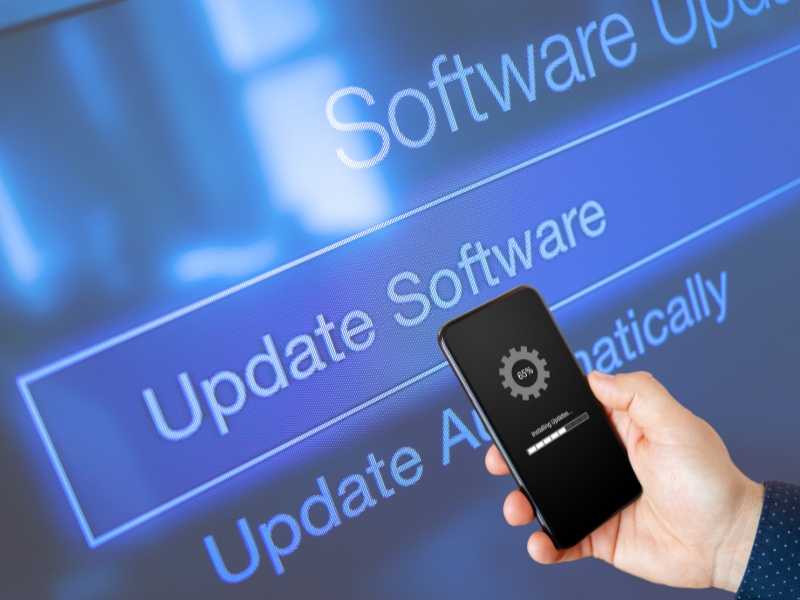
A technical look at how operating systems, manufacturers, and background systems determine update timing — often beyond the user’s control.
Introduction: The Update You Didn’t Ask For
Most users believe software updates happen when they choose.
A notification appears, a button is pressed, and the device updates.
In reality, the decision-making process begins long before the user ever sees a prompt.
Modern devices operate within update systems that prioritize stability, security, and network efficiency over individual preference.
Why Updates Exist Beyond New Features
Updates are often associated with visible changes.
New interfaces, added functions, or improved performance.
However, most updates are not designed for user-facing improvements.
They address invisible issues such as vulnerabilities, system compatibility, and background dependencies.
Security Patches as Priority Updates
Security updates are treated differently from feature updates.
Once a vulnerability is known, delaying a patch increases exposure across millions of devices.
For this reason, systems are designed to reduce user control over critical updates.
The Role of Operating Systems in Update Decisions
Operating systems act as the central authority for update logic.
They determine:
- when updates are downloaded
- when they are installed
- which updates are mandatory
- which updates can be postponed
User preference is only one variable in this system.
Update Channels and Release Phases
Most operating systems use staged rollout systems.
Updates are released gradually, not universally.
This allows manufacturers to monitor errors before wider deployment.
Why Two Identical Devices Update at Different Times
Users are often confused when identical devices update on different schedules.
This is intentional.
Rollouts depend on:
- device model
- hardware revision
- region
- carrier restrictions
- previous update history
Manufacturer vs Operating System Control
Control over updates is shared.
Operating systems provide the framework, but manufacturers adapt updates to their hardware.
This layered control increases complexity and limits user intervention.
Carrier Influence on Update Timing
In some regions, carriers review updates before release.
This additional approval layer can delay availability and alter update behavior.
Why Devices Download Updates Without Asking
Background downloading is designed to minimize disruption.
Devices often download updates when:
- connected to Wi-Fi
- idle
- charging
- during low network congestion
This behavior is automatic and rarely visible.
The Difference Between Downloading and Installing Updates
Downloading an update does not equal installation.
Installation timing is controlled by system policies and power conditions.
This separation reduces failure risk but increases confusion.
Why Full Control Is No Longer Offered
Earlier systems allowed extensive control over update behavior.
Modern systems restrict this to reduce fragmentation, security gaps, and unsupported configurations.
Control has shifted from users to systems by design.
How Update Algorithms Prioritize Devices
Modern update systems do not treat all devices equally.
Update distribution is managed through algorithms designed to minimize risk and system-wide failures.
These algorithms evaluate device readiness before allowing installation.
Signals Used to Determine Readiness
Before an update is installed, systems evaluate multiple signals.
- battery level and charging state
- available storage space
- system stability indicators
- recent crash history
- current device usage patterns
If thresholds are not met, installation is delayed automatically.
Network Load Balancing and Update Timing
Update servers manage traffic at global scale.
Pushing updates to millions of devices simultaneously would overload infrastructure.
Instead, updates are staggered to balance network load.
Why Updates Often Appear Overnight
Many systems schedule installations during periods of inactivity.
Overnight windows reduce disruption and lower failure rates.
This is why users often wake up to updated devices without having initiated the process.
The Role of Power Conditions
Power availability is critical to update safety.
Systems prefer installing updates when devices are:
- connected to external power
- above minimum battery thresholds
- thermally stable
These conditions reduce the risk of incomplete installations.
Why Postponing Updates Has Limits
Users are often offered postponement options.
However, these options are temporary.
Systems enforce upper limits on how long critical updates can be delayed.
Mandatory vs Optional Updates
Not all updates carry the same priority.
Feature updates are typically optional.
Security updates are often mandatory and enforced over time.
Why Devices Sometimes Restart Without Clear Consent
Some updates require a full system restart.
If postponement windows expire, systems may initiate restarts during idle periods.
This behavior is designed to ensure completion, not convenience.
The Difference Between User Settings and System Policies
Update preferences exist within boundaries.
System policies override user settings when stability or security is at risk.
This hierarchy limits the effectiveness of manual control.
Why Update Failures Influence Future Timing
Devices that experience update failures are flagged internally.
Future updates may be delayed or staged more cautiously.
This adaptive behavior improves success rates but creates inconsistent timing.
The Trade-Off Between Control and System Integrity
Allowing full user control increases fragmentation.
Fragmentation weakens platform security and supportability.
Update automation is a compromise between autonomy and system integrity.
Why Updates Sometimes Slow Devices Instead of Improving Them
Users often expect updates to improve performance.
In practice, updates may introduce additional background processes, new services, or expanded logging.
These changes increase system overhead, particularly on older hardware.
Increased Resource Demands
New features require memory, CPU cycles, and storage.
Devices with limited resources may experience slower response times even if functionality improves.
Compatibility Layers and Legacy Hardware
Operating systems must support a wide range of devices.
To maintain compatibility, updates introduce abstraction layers that translate new behavior to older components.
The Cost of Backward Compatibility
Compatibility layers add complexity.
Each layer introduces latency and potential inefficiencies.
The older the hardware, the higher the relative cost.
Why “Small Updates” Can Have Large Effects
Update size does not correlate with impact.
A minor patch may alter core libraries used across the system.
These changes ripple outward, affecting unrelated features.
Shared Components and System-Wide Dependencies
Modern operating systems rely on shared components.
Updating a single library can influence:
- application startup times
- power management behavior
- background task scheduling
- hardware communication
Why Bugs Appear After Updates
Updates are tested, but real-world environments vary.
Differences in:
- installed apps
- regional settings
- hardware revisions
- usage patterns
create scenarios that testing cannot fully simulate.
Rollback Mechanisms Explained
Many systems include rollback capabilities.
Rollback allows devices to revert to a previous state if an update fails.
Why Rollbacks Are Limited
Rollbacks are time-limited.
After a certain period, previous system images are deleted to free storage space.
This prevents indefinite reversions.
How Telemetry Influences Future Updates
Devices report post-update performance data.
This telemetry includes:
- crash rates
- battery behavior
- boot times
- error logs
Aggregated data informs future update adjustments.
Why Performance Issues Persist Across Versions
Once performance regressions are introduced, they may persist across multiple releases.
Fixes must balance compatibility, stability, and security.
The Gap Between Update Intent and User Experience
Update intent focuses on system-wide health.
User experience reflects individual constraints.
This gap explains why updates can feel disruptive despite technical justification.
How to Manage Updates Safely Without Breaking Your Device
While full control over updates is no longer possible, users can reduce risk through informed management.
The goal is not avoidance, but preparation.
Understanding What You Can and Cannot Control
Users can influence:
- installation timing windows
- network conditions for downloads
- restart scheduling
- storage availability
Users cannot control:
- mandatory security patches
- server-side rollout decisions
- carrier approval delays
- system-enforced deadlines
Preparing a Device Before Installing Updates
Preparation reduces failure rates.
Before installing major updates, users should ensure:
- sufficient free storage
- full or stable power connection
- recent data backups
- minimal background activity
Why Backups Still Matter
Modern update systems are resilient, but not infallible.
Backups remain the last line of defense against rare failures.
Managing Update Timing Without Disabling Security
Delaying updates indefinitely increases exposure.
A balanced approach allows short postponements without long-term risk.
Best Practices for Scheduling
- install updates during low-usage periods
- avoid installing before critical tasks
- monitor battery and thermal conditions
- restart manually when prompted
Why Disabling Updates Is Strongly Discouraged
Disabling updates creates security gaps.
Unsupported systems become vulnerable to exploits that target known weaknesses.
A Practical Update Management Checklist
- keep at least 20% free storage
- enable backups before major updates
- review update notes when available
- avoid forced shutdowns during installation
- restart devices promptly after updates
- monitor performance after installation
Frequently Asked Questions
Can updates be permanently blocked?
Permanent blocking is increasingly restricted. Systems override blocks for critical updates.
Why do updates install automatically at night?
Nighttime windows reduce disruption and improve success rates.
Do updates slow devices intentionally?
No. Performance changes result from increased system requirements and compatibility constraints.
Why do some updates require restarts?
Core system components cannot be replaced while running.
Is it safe to delay updates?
Short delays are acceptable. Long-term avoidance increases security risk.
Conclusion: Automation Replaces Absolute Control
Update automation reflects a shift in system philosophy.
Devices now prioritize global stability over individual preference.
Understanding how update decisions work allows users to adapt rather than resist.